 DigiUsher Documentation
Connecting an Anthropic account
Overview
To connect your Anthropic (Claude) organization to DigiUsher, create an Admin API key in the Anthropic Console. Then enter that key in DigiUsher. This page gives the access that DigiUsher asks for, the reason for that access, and the credential that you enter.
An organization is required
This feature does not work with an individual account. You need an Anthropic organization with at least one member that has the Admin role. If you have an individual account, first create an organization in the Anthropic Console.
Summary of Access Required
| Component | Details |
|---|---|
| Identity | Organization Admin API key (prefix sk-ant-admin) for programmatic access only |
| Access level | Read-only. Organization cost and usage reports |
| Data | Daily cost data |
| Scope | Organization-wide |
| Capability | What It Provides |
|---|---|
| Billing data | Cost analytics, chargeback and showback, budgeting, forecasting, anomaly detection |
| Workspace attribution | Per-workspace cost allocation across your organization |
| Model & token breakdown | Cost split by model, token type, context window, and service tier |
DigiUsher cannot send messages, cannot consume tokens, and cannot create, change, or delete a resource in your Anthropic organization.
Prerequisites
Information to Gather
| Item | How to Find | DigiUsher Field |
|---|---|---|
| Admin API Key | Anthropic Console > Organization Settings > Admin Keys > Create Admin Key. The Console shows the key one time only, so save it in a safe place. | admin_api_key |
Roles Required by the Person Performing Setup
| Role / Permission | Why |
|---|---|
| Admin role on the Anthropic organization | Only organization members with the Admin role can create Admin API keys in the Anthropic Console. |
Network & Email Access (For Regulated Environments)
If your organization restricts outbound internet access or email domains, make sure that these two items are in place before you start:
- Domain allowlist. Add
*.digiusher.comto the allowlist of your network and your firewall. The users of your organization can then open the DigiUsher platform in their browsers. - Email allowlist. Add
digiusher.comas a permitted sender domain in your email security gateway. DigiUsher sends onboarding confirmations, alerts, and reports from@digiusher.comaddresses.
Setup
Make Sure You Have an Organization and the Admin Role
The Admin API works at the level of the organization. You must therefore work in an organization and have the Admin role.
- Sign in to the Anthropic Console.
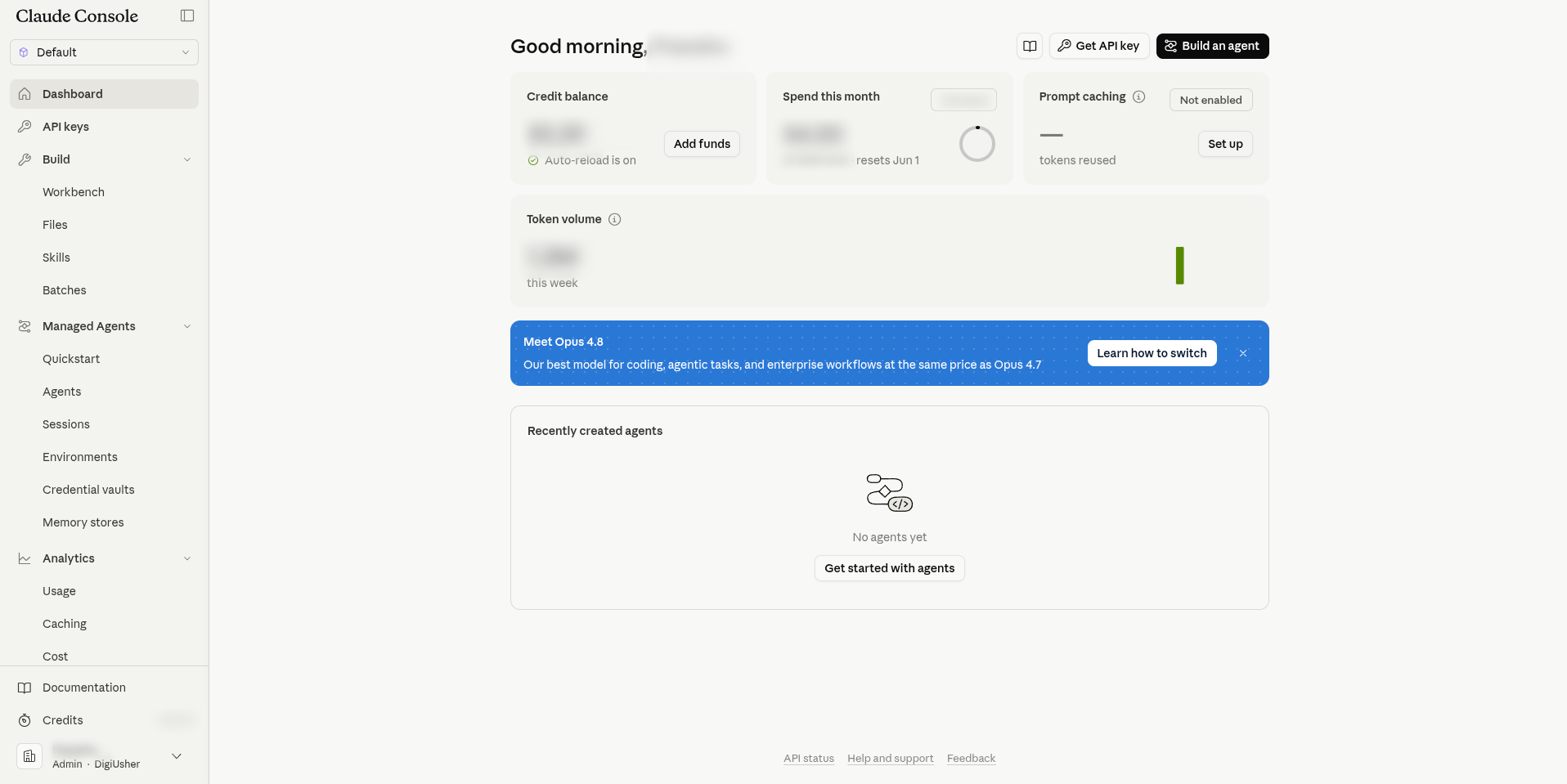
- Go to Settings > Organization and make sure that you are in an organization, and not in an individual account.
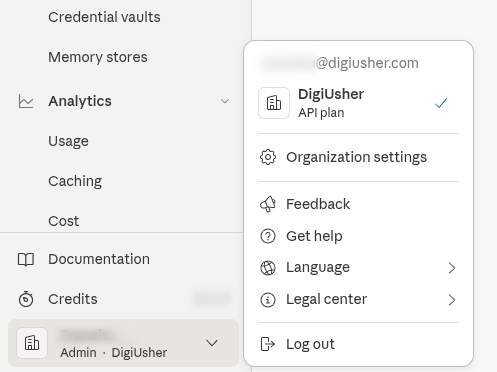
- Make sure that your member role is Admin. If it is not, ask an Admin of the organization to give you the Admin role, or to do the next step for you.
Individual accounts
If you see no organization, create one under Settings > Organization before you continue. An individual account cannot create Admin API keys.
Create an Admin API Key
Create a separate Admin API key for DigiUsher. DigiUsher uses this key for read operations only.
- In the Anthropic Console, select Admin Keys in the left navigation.
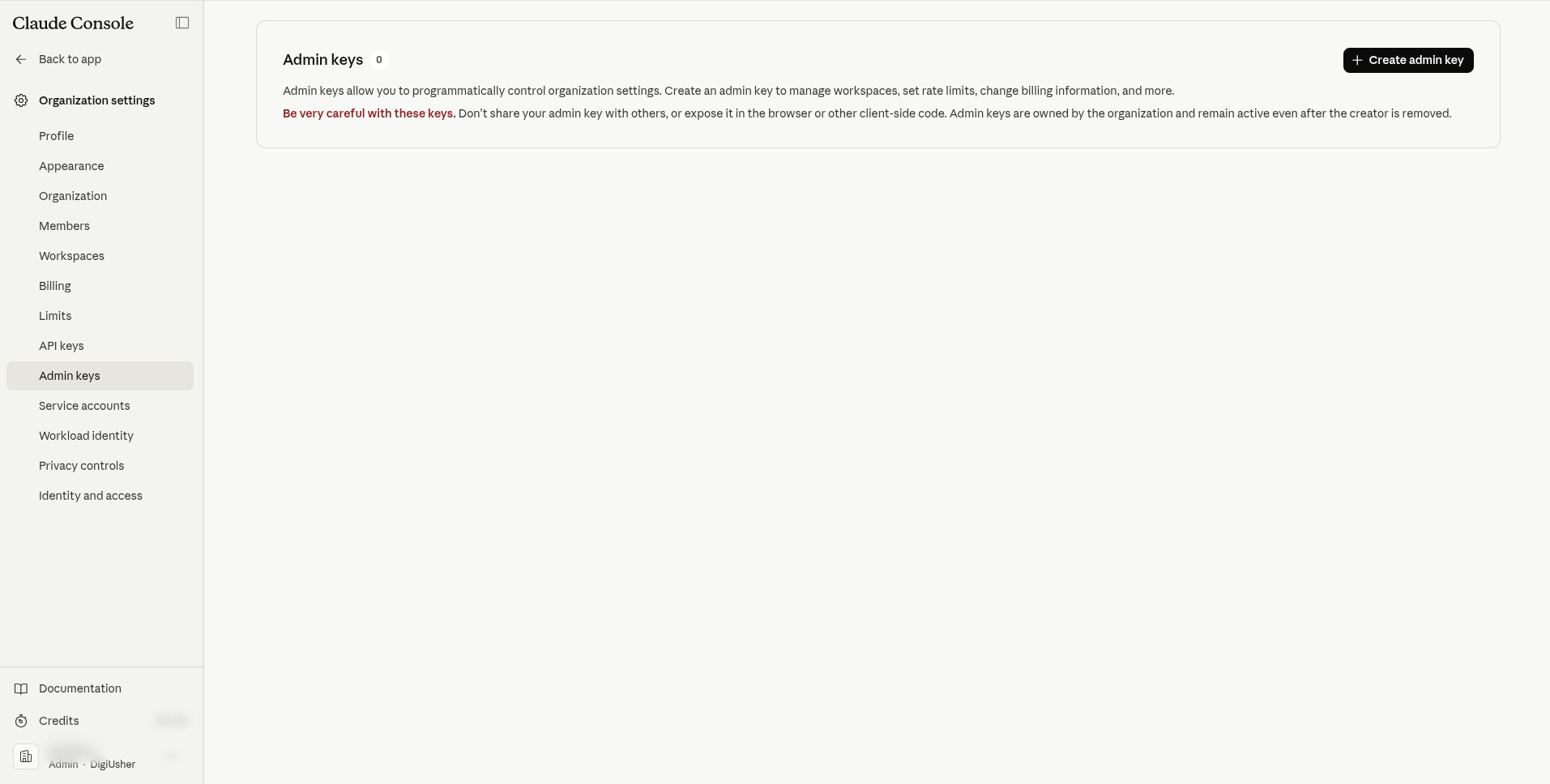
- Click Create Admin Key.
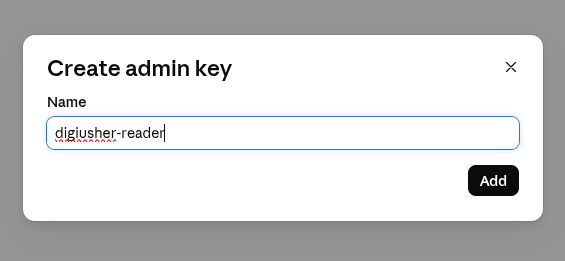
- Give the key a name that you know again, for example
digiusher-cost-reader. - Copy the value of the new key. It starts with
sk-ant-admin.
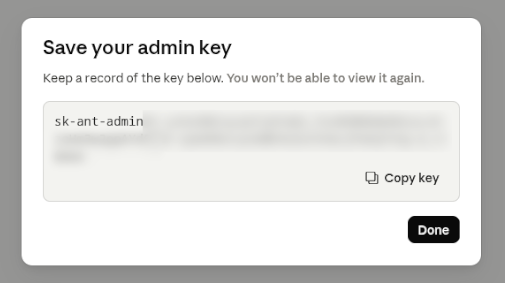
Save your credential
CAUTION: Copy the Admin API key now and save it in a safe place. The Console shows the key one time only, and you cannot read it again. You enter this key in DigiUsher in the next section.
Connect in DigiUsher
In DigiUsher, go to Connectors > Add Source > Anthropic API. In the Configure step, enter the values in the table. Then click Review, and complete the Connect step with Connect source:
| Field | Where to Find |
|---|---|
| Display Name | Any label you prefer (for example Anthropic Production) |
| Admin API Key | The sk-ant-admin... key from Step 2 |
At the connection, DigiUsher makes sure that the key works. It then reads your organization ID and finds your workspaces. The first sync reads approximately the last 31 days of cost data. After that, DigiUsher reads the new cost data one time each day.
Setup Checklist
- You work in an Anthropic organization, and not in an individual account
- You have the Admin role on the organization
- Admin API key created in the Anthropic Console with the prefix
sk-ant-admin - Admin API key saved in a safe place
- Connection details entered in DigiUsher
-
*.digiusher.comin the allowlist of your network and firewall (if your organization restricts this) -
digiusher.comin the allowlist of permitted sender domains in your email security gateway (if your organization restricts this)
Security
What DigiUsher CAN Access (Read-Only)
- Cost reports at the level of the organization
- Workspace metadata, which DigiUsher needs to attribute the costs to the correct workspace
What DigiUsher CANNOT Do
- Send a message or consume tokens in your organization
- Create, change, or delete an API key, a workspace, or a member
- Read message content, prompts, or completions
- Read or change the billing configuration, the payment methods, or the rate limits
- Buy a product or change your account
DigiUsher stores the Admin API key encrypted, and it never returns the key in an API response.
Monitoring
Open Admin Keys in your Anthropic Console to see the keys that exist and the last time each key was used. Delete every key that you do not know.
Credential Rotation
- In the Anthropic Console, go to Admin Keys and click Create Admin Key to create a new key.
- Enter the new key in DigiUsher immediately.
- Delete the old Admin Key in the Console.
The new key must belong to the same Anthropic organization as the old key. DigiUsher rejects a new key with a different organization ID.
Avoid ingestion gaps
Create the new key and enter it in DigiUsher before you delete the old key. This prevents an interruption of the data collection.
Revocation
Delete the Admin API key in the Anthropic Console under Admin Keys. Anthropic then immediately invalidates the key and stops all access. DigiUsher cannot read cost data again until you give it a new key.
Troubleshooting
Invalid API key or insufficient permissions
- Make sure that the key starts with
sk-ant-admin. A standard API key with the prefixsk-ant-apidoes not work. - Make sure that a member with the Admin role created the key, and that the key still exists in the Console.
- Create the key again in the Console and enter it again in DigiUsher.
No cost data appearing
- If your organization used no Claude API in the period, DigiUsher has no cost data to show.
Admin API unavailable
- The Admin API does not work with an individual account. Create an organization under Settings > Organization in the Anthropic Console. Then try again with an Admin API key of that organization.
Need Help?
If this page does not answer your question, write to DigiUsher support at support@digiusher.com. The team will help you.